
How do I use the ConnectIQ app to change the RaceOfficer Timer settings?
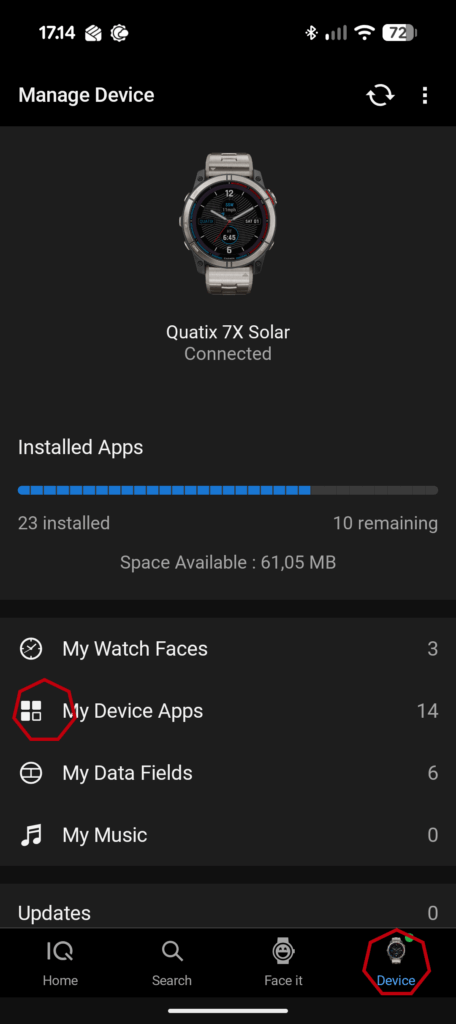
Make sure your watch and phone are connected, then just start the Connect IQ app on your phone and follow these steps:
- Select “Device” (lower right corner)
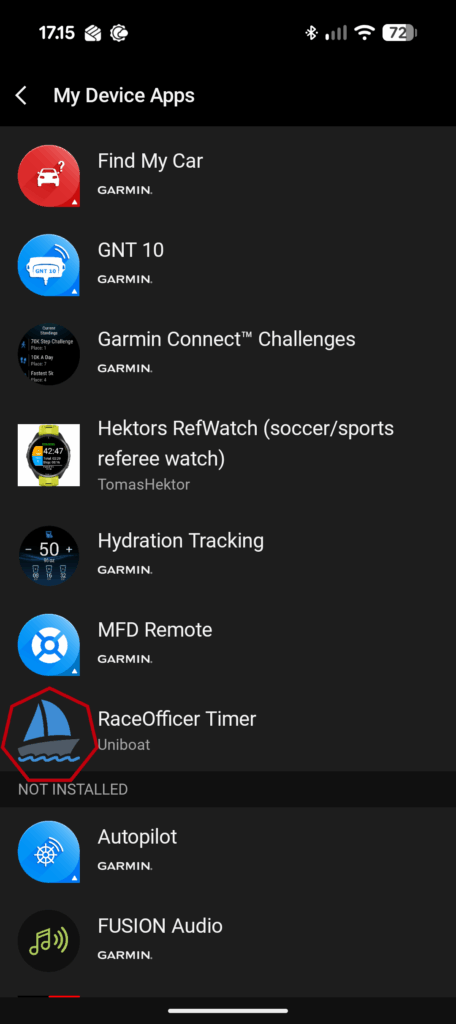
- Select “My Device Apps”
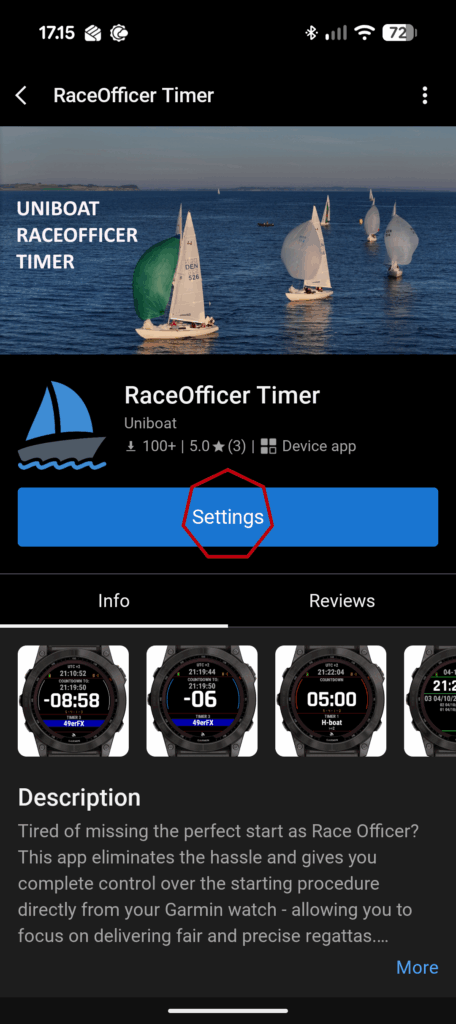
- Select “RaceOfficer Timer” in the list of apps
- Select “Settings”
Which setings can be found in the phone app?
General settings (can only be changed using the phone)
- Disable sound
- Disable all the sounds used for indication of count down
- Disable vibration
- Disable all the vibrations used for indication of count down
- Line Color
- Change colors of the grid on the main screen
Timer settings
In the Timers section you can change the following settings for all the timers:
- Name
- The name shown in menues where you can select a timer and on the main screen
- Color (can only be changed using the phone)
- The color of the timer used on the main screen to indicate fleet color